Free the disk space eaten by Cursor, Ollama & Codex
Find where AI coding tools hide dozens of gigabytes on Windows — then preview, quarantine, and restore. Auto-care scheduling, space analyzer, chat recovery, and Windows junk breakdown — built for dev machines, not generic PC tune-ups. No registry cleaner.
New in v1.5.0: DeepSeek Harness caches, Hermes Agent logs and temporary caches, Kimi CLI logs, ZCode logs, and OneCode sessions in workspaces you select in Settings. Session history is marked for manual review. Grok Bot runs in the cloud and is outside this Windows cleaner's scope.
The desktop interface loads locally without a CDN. Recycle Bin failures stop deletion and keep your files in place. Preview every cleanup before you run it.
License key is emailed with your receipt — one PC. 14-day refund. Unzip and run MyAICleaner.exe directly (not a .bat file).
Launch offer: use code EARLY5 at checkout — $5 for the first 1,000 buyers.
Includes 1 year of email support (reply to your receipt). The app keeps working after that, but we recommend upgrading within a year as AI tools change fast.
Be the first to review · No reviews yet
MyAICleaner.exe · Overview
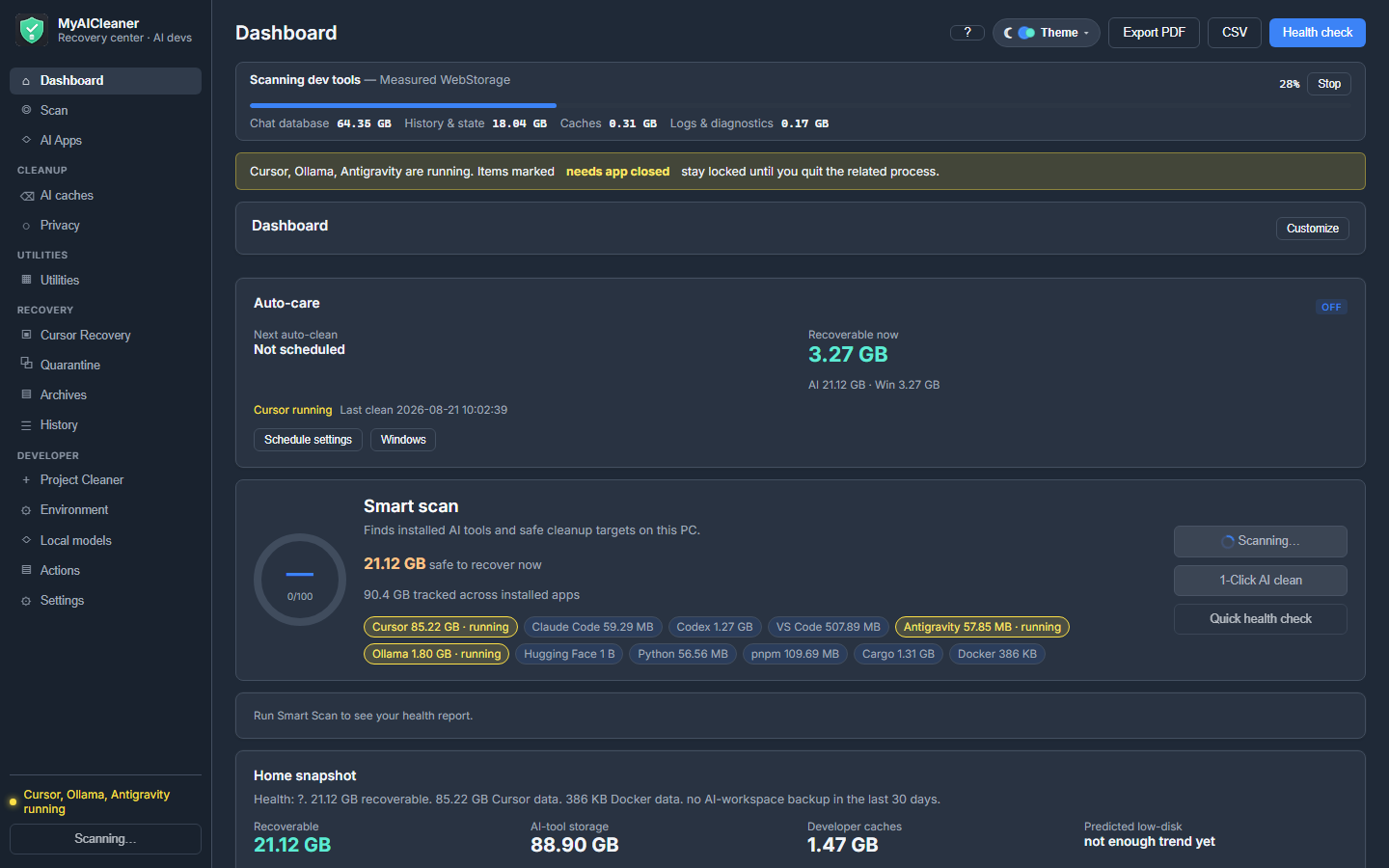
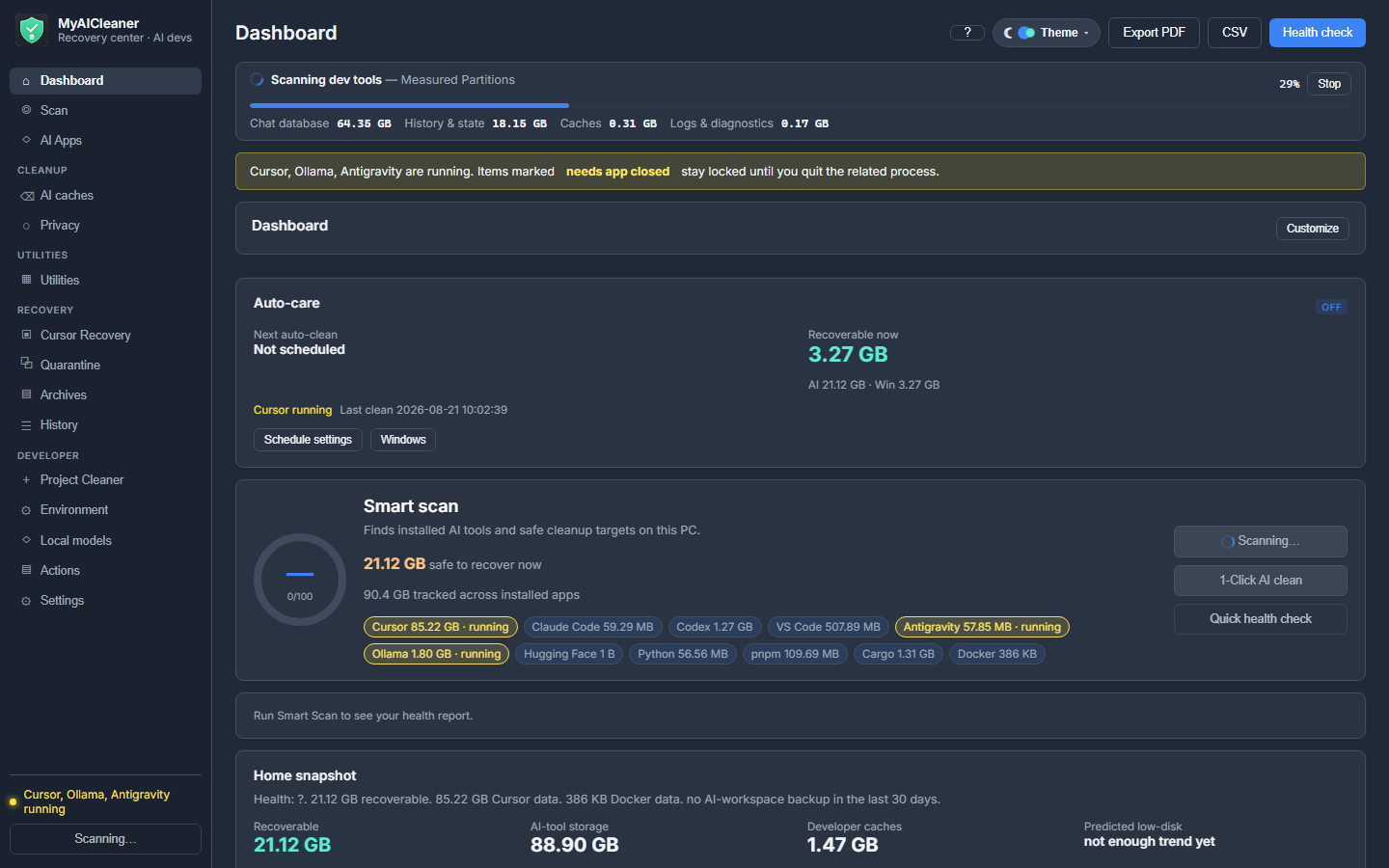
Real app, this PC: 69 GB tracked, 4.67 GB ready to quarantine.
Real screenshots
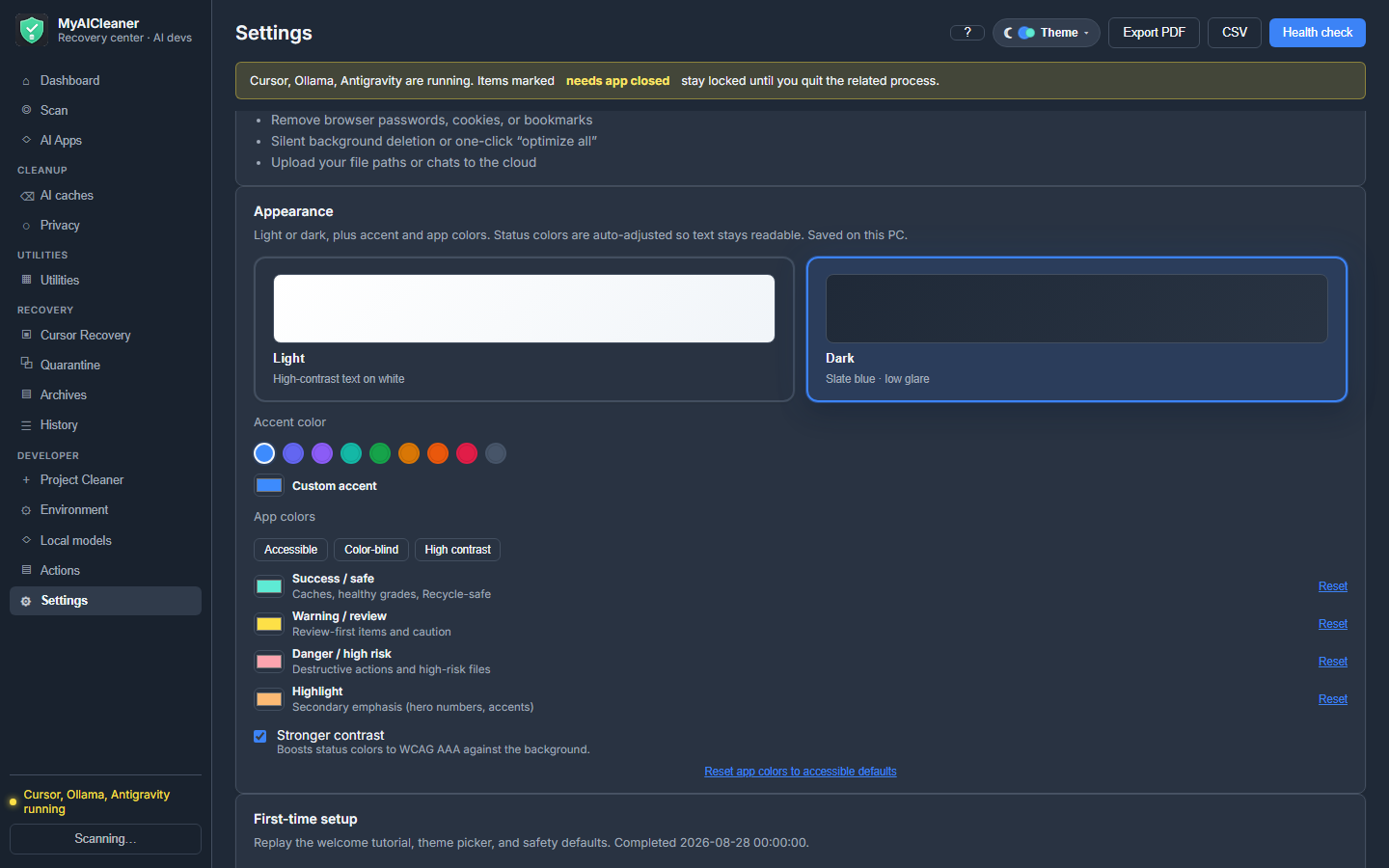
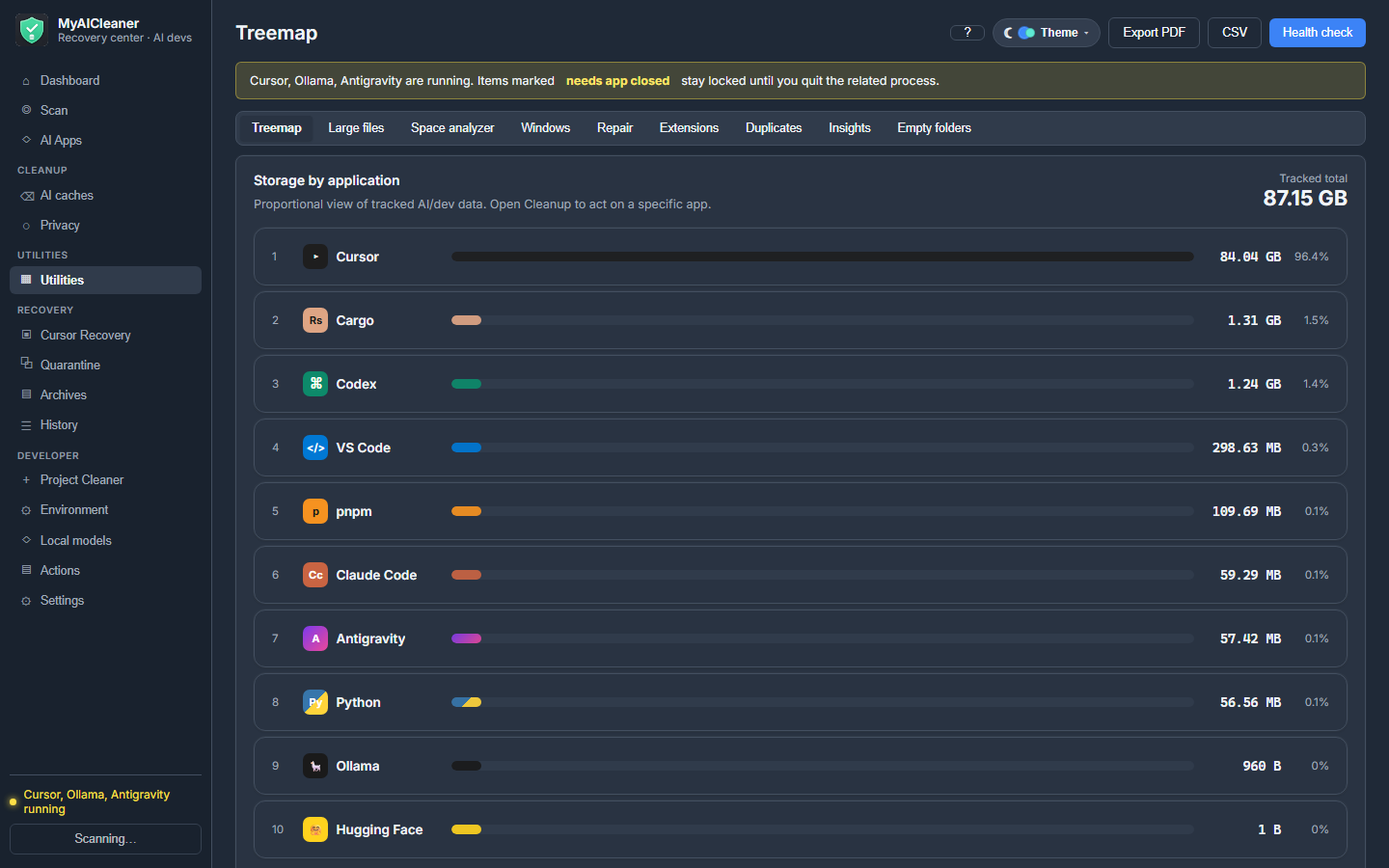
The actual Windows app
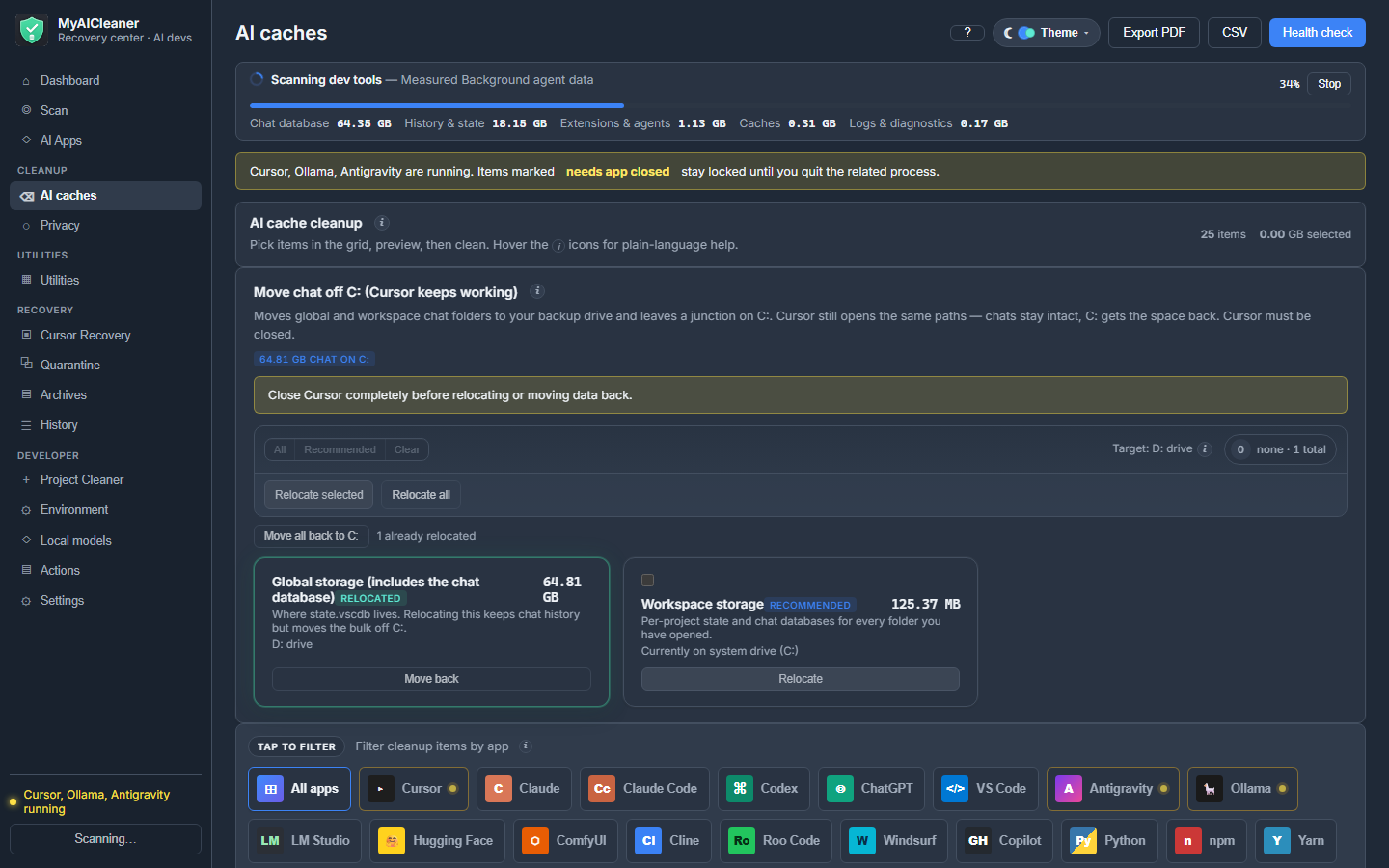
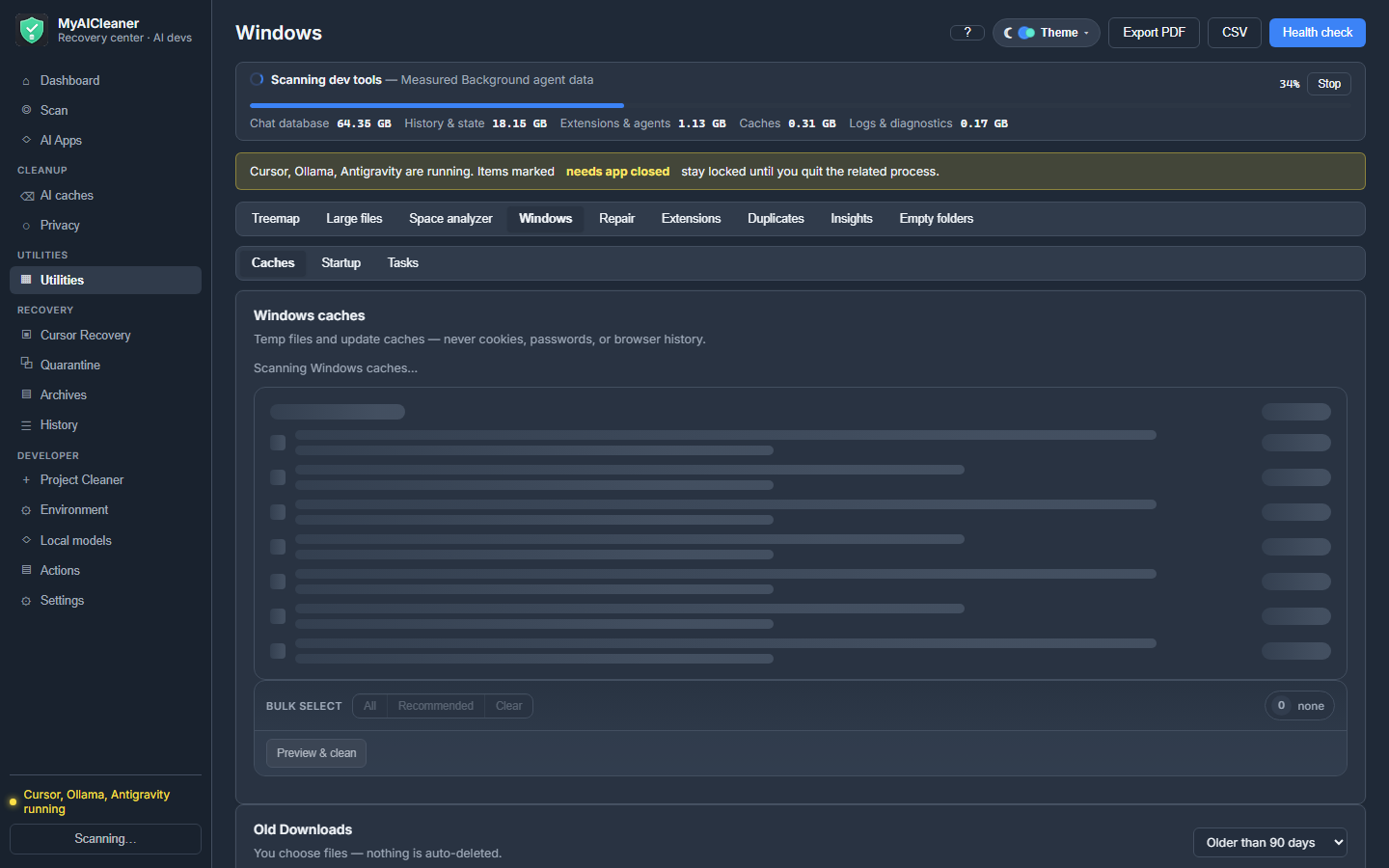
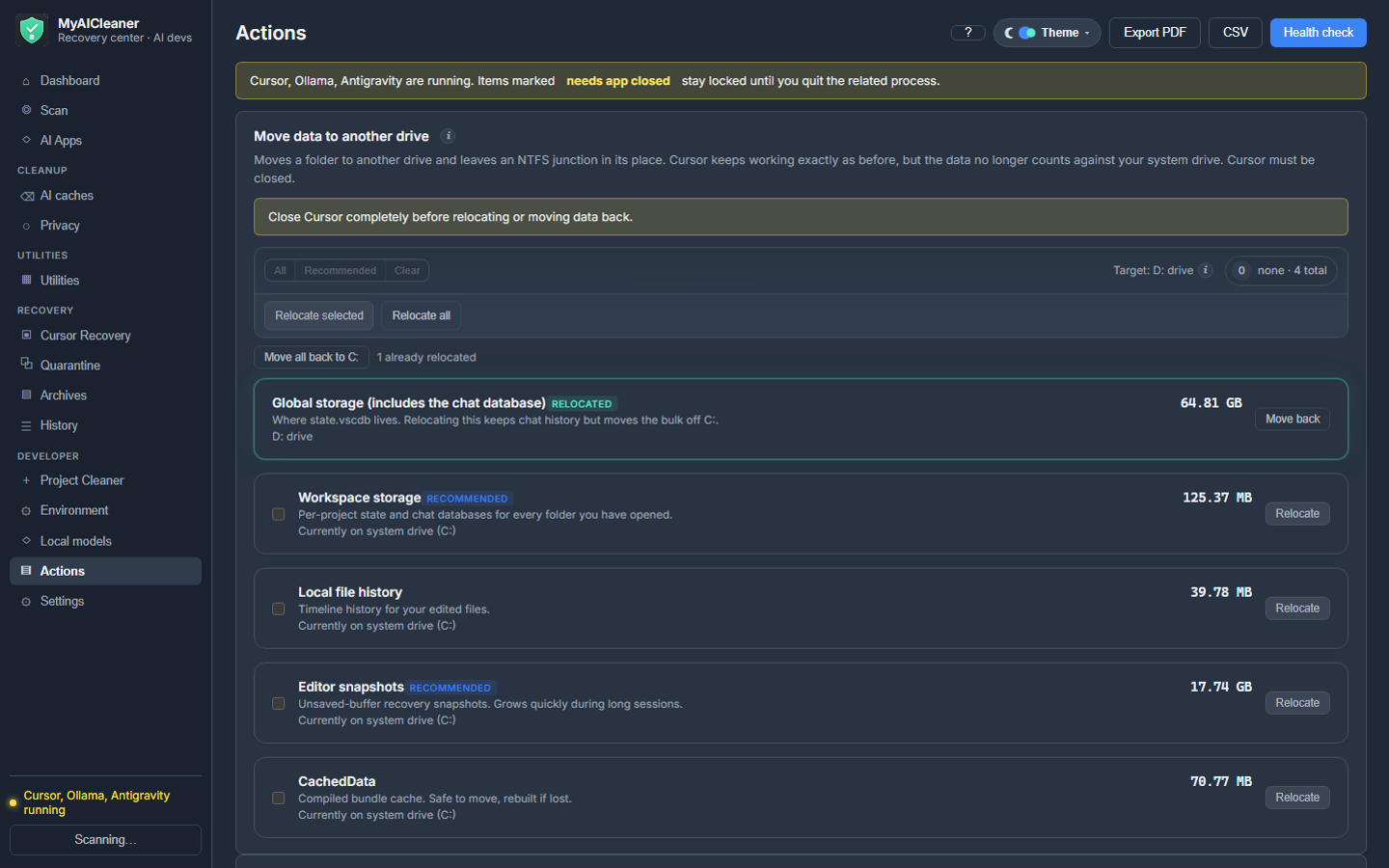
Not a mockup. Every screenshot is MyAICleaner on a real dev PC — preview first, then you confirm.
Click a shot to zoom. Use ‹ › or keyboard focus to move between images. Esc closes when using the close link.
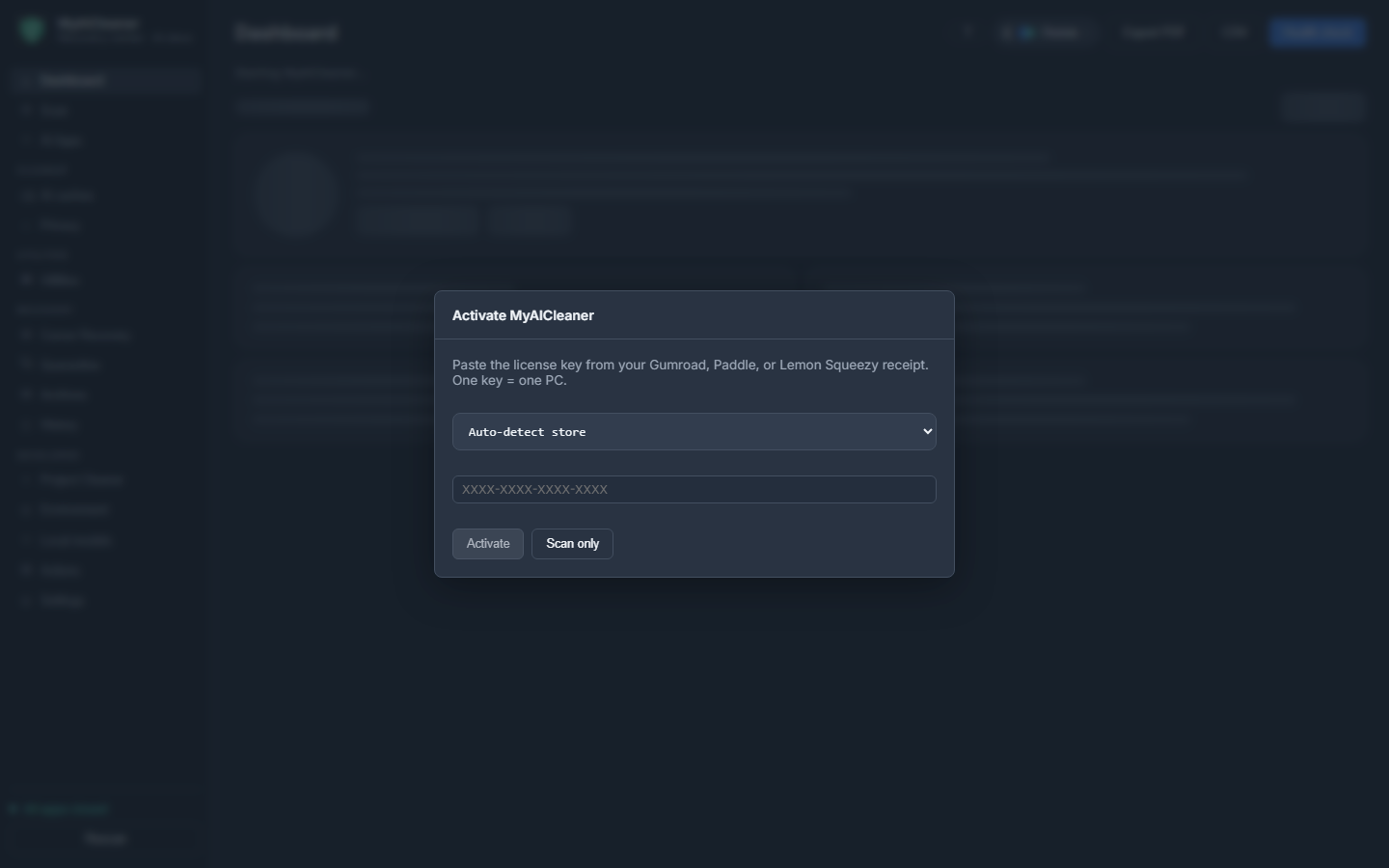
License activationPaste your Gumroad key. Scan and preview stay free.
Full comparison
MyAICleaner vs everything else developers try
One column for MyAICleaner. One column for all other competitors combined — cc-cleaner, Aichive, Kudu, 4-Organizer, CCleaner, BleachBit, PC Manager, WizTree, Glary, IObit ASC, null-e, and Chris Titus WinUtil. Click i on our Yes cells for the pitch.
What others do well
Free generic junk removal, npm/pip cache, temp files, duplicate finders, and macOS/CLI AI cache wipes.
What only MyAICleaner does
Cursor chat quarantine + restore, Auto-care idle scheduling, 1-Click AI clean, space analyzer pie, Windows junk explore, compact-via-D:, junction to D:, tray guardian, and AI risk labels — in one portable Windows app.
Feature
MyAICleaner
Other competitors
Positioning & price
Built for AI developers on Windows
Yes — only job
Generic PC cleaners (CCleaner, PC Manager) or CLI scripts (cc-cleaner, null-e) — not one reversible Windows app with chat recovery
Portable .exe — unzip and run
Yes
Kudu & BleachBit need install; cc-cleaner is CLI-only; Aichive is macOS
Price
$9 once · no subscription
Free (Kudu, BleachBit, cc-cleaner) · $20/yr or $50 life (4-Organizer) · CCleaner subscription
Scan & preview without buying
Yes — full scan free
Most offer free scan or dry-run
One PC license · offline grace
Yes
CCleaner & 4-Organizer want accounts; OSS tools have no license
Never auto-sort / move your projects
No — never
4-Organizer File Sort AI moves files; Storage Sense can auto-clean Downloads
No competitor groups Cursor, Codex, Ollama, Yarn, Cargo, Docker in one visual picker
Yarn / pnpm / Cargo / PyTorch caches
Yes
cc-cleaner and null-e cover some of these as CLI only
Labeled space analyzer
Yes — Safe/Review/Do not touch on folders
WizTree/WinDirStat find bytes; they do not label AI-safe cleanup
Safety, preview & recovery
Dry-run preview required
Yes — every cleanup
cc-cleaner dry-run · Kudu confirm · CCleaner optional preview
Expandable item detail (path, dates, type, risk)
Yes
CLI tables or category ticks — not per-item AI risk in one modal
Safe / Review / Do not touch labels
Yes
No competitor uses AI-aware three-tier labels on every row
Copy or save cleanup plan JSON
Yes
No exportable plan before confirm
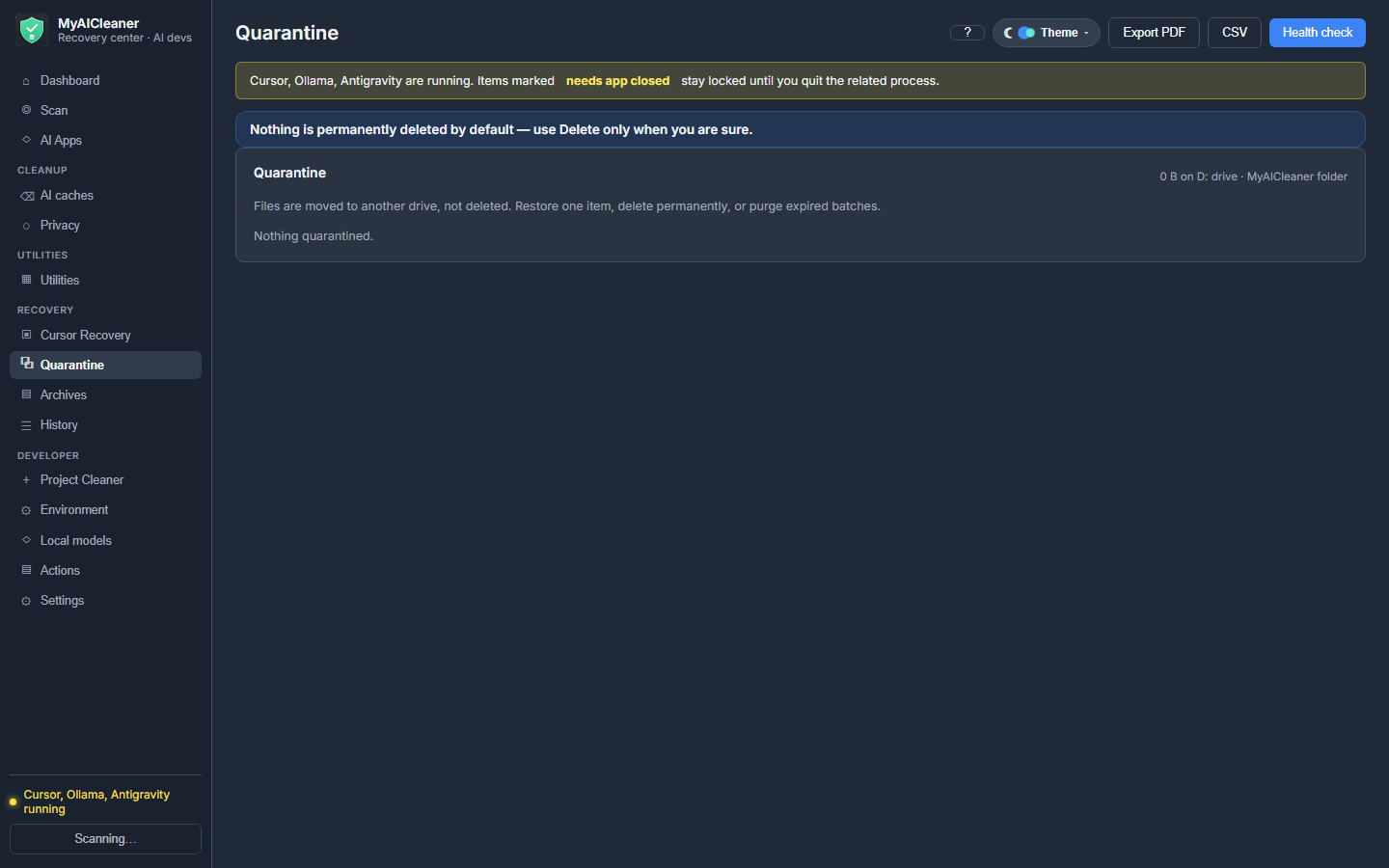
Quarantine + Recovery tab (default)
Yes — backup drive
Trash (Aichive) · Recycle Bin (CCleaner) · Kudu backup folder — no chat transaction undo
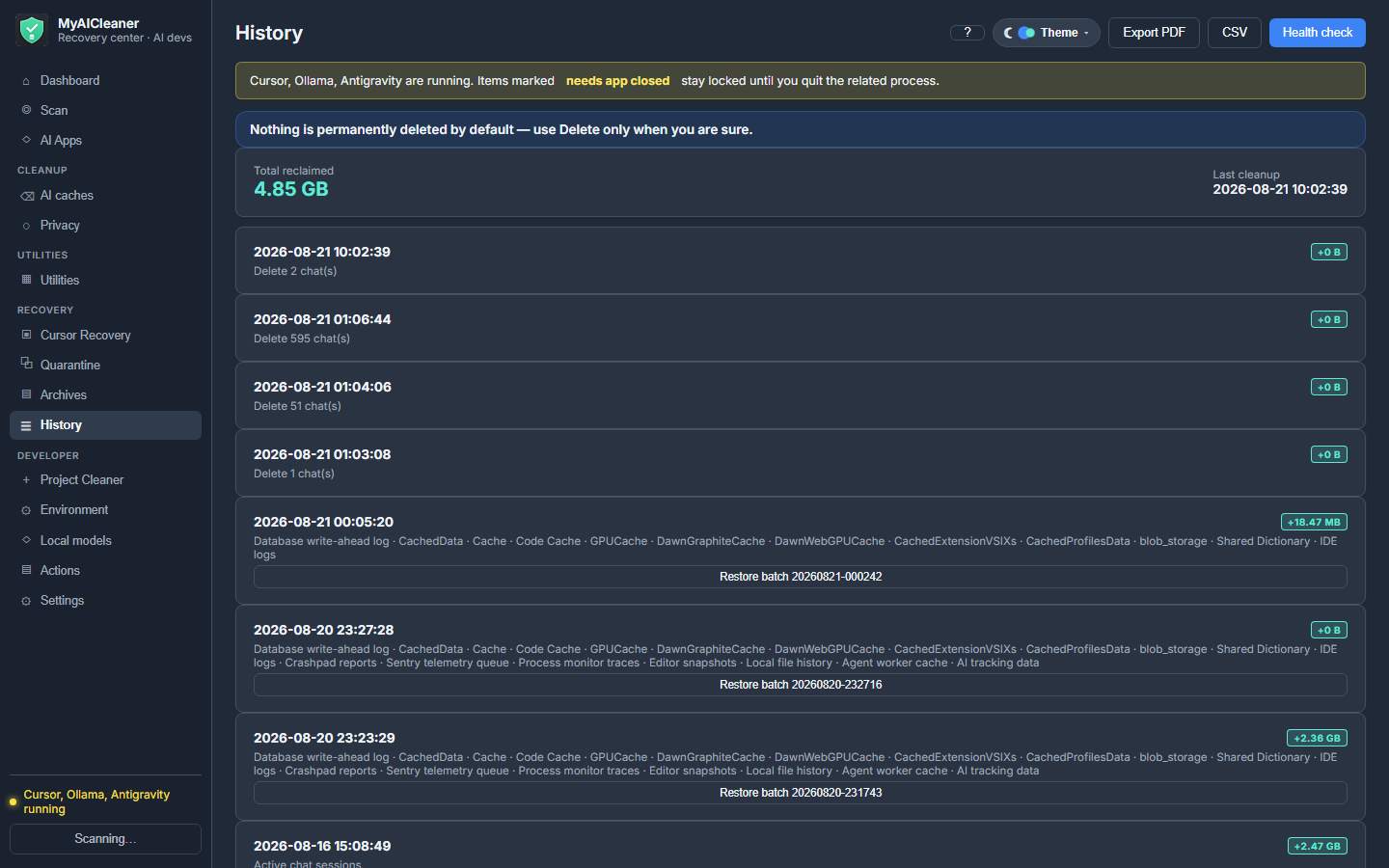
Undo entire cleanup batch from History
Yes
No competitor ties quarantine to transaction IDs
SHA-256 manifest on quarantined files
Yes
Not in consumer cleaners
Cursor chat DB archive + restore
Yes
Unique — Kudu VACUUMs only; CCleaner ignores chat DBs
Close app → clean → reopen
Yes
No orchestrated quit-clean-reopen for Cursor/Codex
Running-process lock detection
Yes
Kudu partial; CLI tools do not block locked DB rows
Allow-list paths only
Yes
Rule-based (Kudu, BleachBit) — not AI-app scoped
Personal keep-list globs
Yes
Kudu JSON rules — not a simple never-touch list
3 disposal modes + secure overwrite opt-in
Yes
Recycle/permanent elsewhere — no quarantine-default for chat
Overview & intelligence
Space Guardian — low-disk alerts while open
Yes
No AI-aware disk guardian in dev cleaners
AI health grade A–F + score
Yes
PC Manager generic health check only
Drag-and-drop dashboard widgets
Yes
No customizable AI storage dashboard
Per-app storage rings + growth trend
Yes
Kudu by app · WizTree by folder — no AI trend line
Storage sense (AI vs Windows vs other)
Yes
PC Manager Storage Sense — not beside Cursor/Ollama totals
Workspace browser — orphan projects
Yes
No competitor maps workspaceStorage to project paths
Extensions — stale version cleanup
Yes
Kudu clears cache folders; not a named extension review step
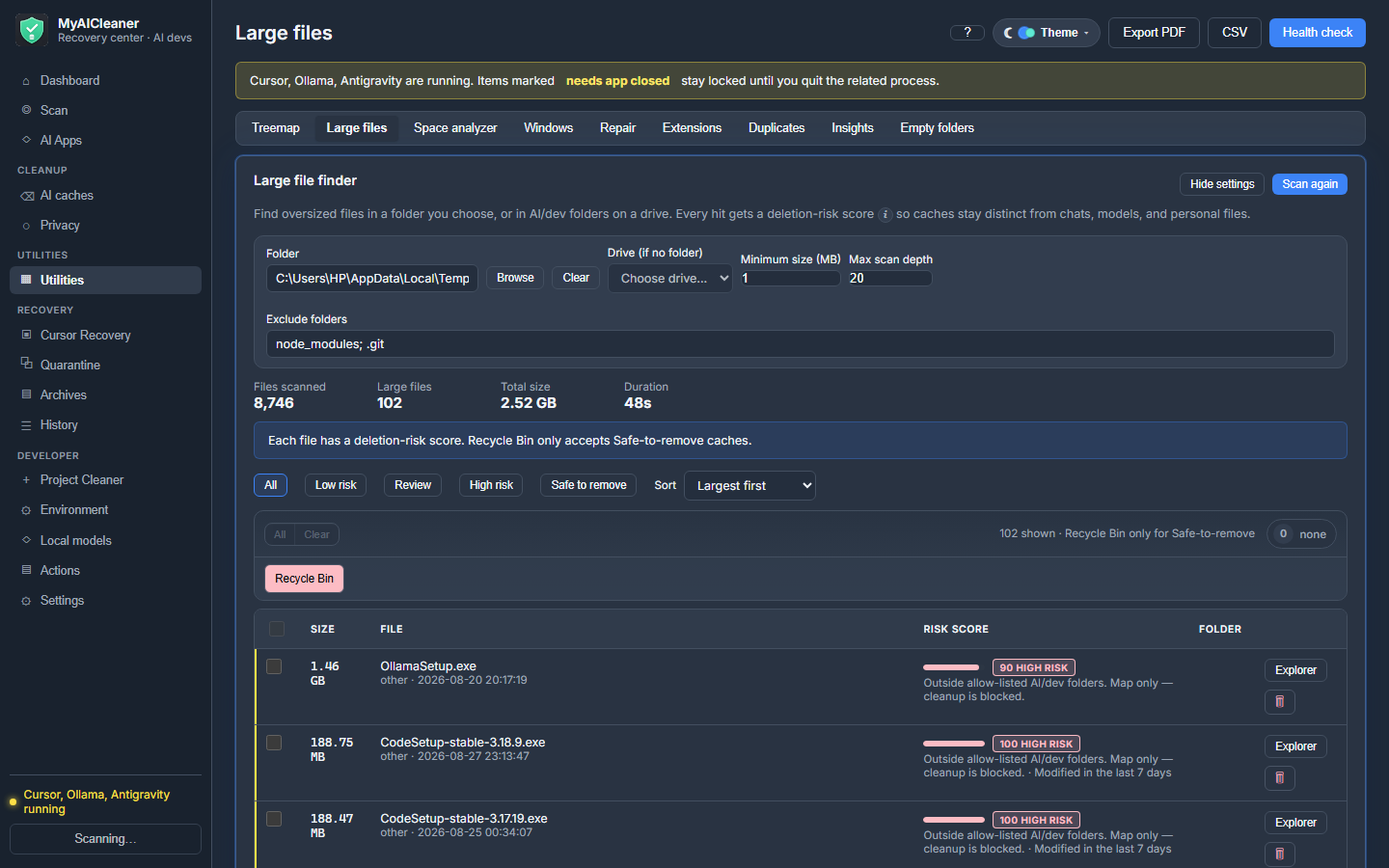
Large files + hash duplicate finder
Yes
CCleaner, 4-Organizer, PC Manager have dupes; not scoped to dev-safe AI preview
Optimize, Windows & privacy
Move AI data to D: (NTFS junction)
Yes
Unique — stops C: refill permanently
VACUUM Cursor chat database
Yes
Kudu VACUUM only — no archive-first workflow
Windows TEMP + browser cache tab
Yes
CCleaner, BleachBit, Kudu, PC Manager all clean temp
Downloads — tick each file
Yes
Organizers auto-sort; PC Manager bulk-clean Downloads
Startup — disable only (never delete)
Yes
CCleaner/PC Manager manage startup; Kudu can delete entries
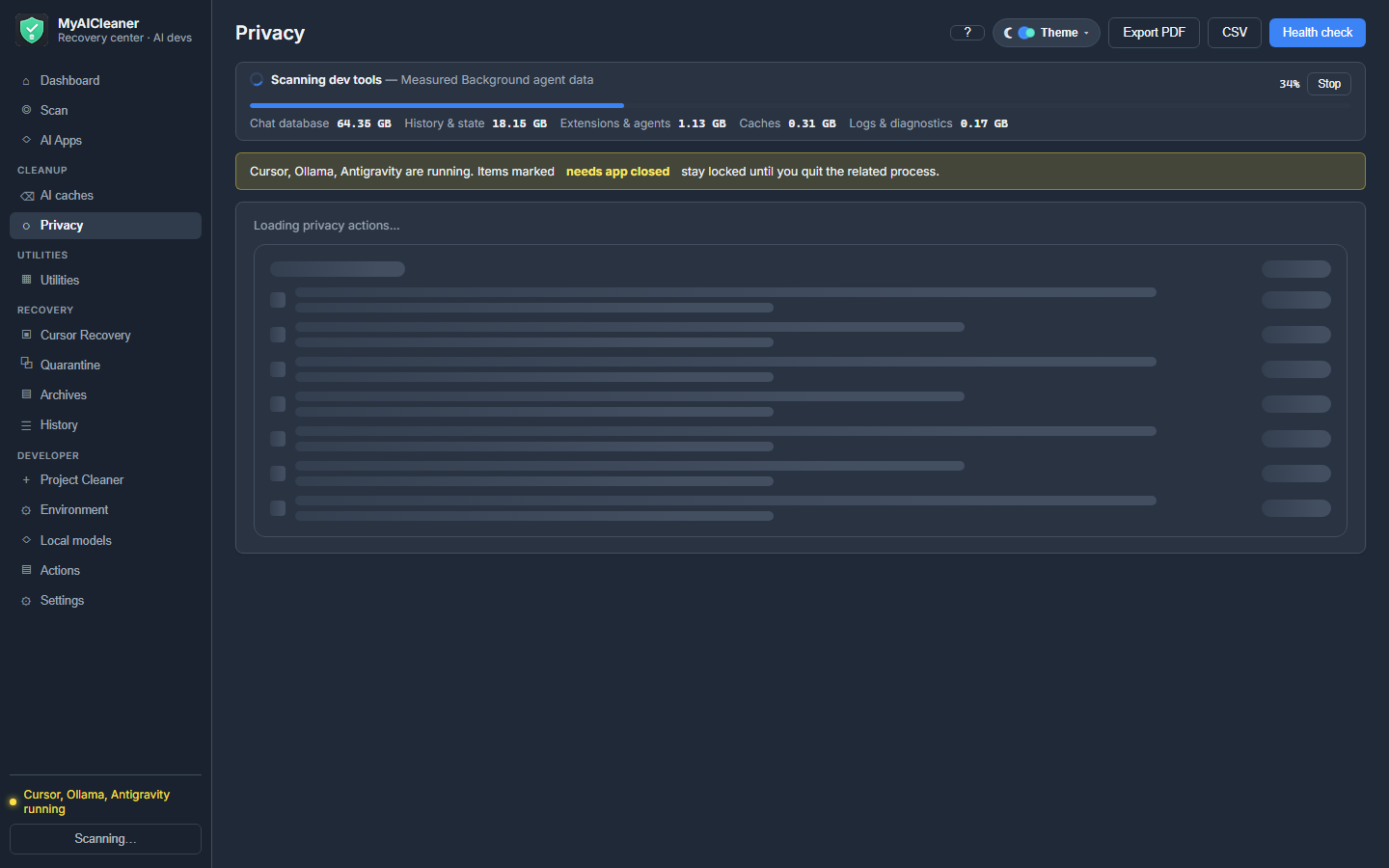
Privacy — telemetry IDs & workspace list
Yes
BleachBit privacy rules · not AI-app surgical
Weekly scheduled cleanup per app
Yes
4-Organizer auto scan · Kudu schedules — not per AI app
PDF / CSV / JSON cleanup reports
Yes
CCleaner basic · 4-Organizer reports · no AI audit trail
Share card image after cleanup
Yes
No competitor generates a share graphic
App experience (v1.3)
Light + dark theme (accessible contrast)
Yes
Some tools have dark mode; not built for long scan sessions
UI sounds + haptic tap feedback
Yes
Not in disk cleaners
In-app FAQ + support email
Yes
Docs/wiki only
100% local scan — no cloud upload
Yes
Most local; CCleaner/4-Organizer may phone home
What we refuse (trust)
Registry repair / driver updater
No — never
CCleaner, ASC, Glary sell these
Cookies / passwords / bookmarks
No — never
CCleaner & BleachBit privacy modes often include them
Documents / repos / source code
No — never
4-Organizer moves files; broad scanners are risky
Wipe all Ollama models at once
No
Some CLI tools bulk-delete if you confirm
“58% faster PC” marketing
No — never
4-Organizer, CCleaner, ASC use speedup claims
Other competitors = combined best-case from cc-cleaner (CLI), Aichive (macOS), Kudu, 4-Organizer Ultra, CCleaner, BleachBit, Microsoft PC Manager, WizTree, Glary Utilities, Wise Care, IObit Advanced SystemCare, null-e, and Chris Titus WinUtil. Researched Aug 2026. If a tool does one thing well (e.g. BleachBit temp files), it appears in that row — but none match the full AI-dev workflow.
Built for trust on a real dev machine
You are downloading a Windows utility that can move files. Here is how we keep it safe — and why Smart Scan is free before you pay.
Allow-list only — unknown paths are refused
Dry-run preview — every item shows path, size, dates, risk, and what happens after
Safe / Review / Do not touch — clear labels on caches vs databases vs history
Export cleanup plan — copy to clipboard or save JSON before you confirm
Quarantine default — restore per item or undo an entire cleanup transaction
Tray Space Guardian — low-disk alerts from the system tray
Idle-only auto-clean — scheduled runs skip if you are active or Cursor is open
No “2× faster PC” claims — no RAM booster, registry repair, or driver updater
Local-only scan — no cloud upload, no account required to scan
Try before buy — scan and preview work without a license key
Our promise: nothing is permanently removed until you explicitly choose permanent deletion.
v1.5.0 — technical preview
Every cleanup item explained before you click
A technical user can inspect exactly what will happen. The dry-run preview lists application, exact path, size, modified and accessed dates, file type, whether the app is running, whether the data is regenerable, risk level, and recommended action.
Cursor Recovery tab, Backup center, Developer Doctor
Dashboard widgets, labeled space analyzer
We will never add registry repair, RAM boosters, silent background deletion, or “delete all models” buttons.
Before you buy
System requirements
OS: Windows 10 or Windows 11 (64-bit)
RAM: 4 GB minimum · 8 GB+ recommended if Cursor/Ollama run while scanning
Disk: ~50 MB for the app · free space on C: to scan · backup drive (D:, E:, or USB) recommended for quarantine
Internet: needed once to activate the license · 7-day offline grace afterward
How to run: unzip and double-click MyAICleaner.exe — do not run a .bat file
Optional backup drive: pick D:, E:, or an external USB drive in Settings → Backup before cleaning. A safety copy is saved there before anything is removed.
Questions answered
FAQ
Straight answers before you buy.
What is in the download zip?
One folder: MyAICleaner.exe and README.txt. Unzip anywhere and double-click the .exe — not a .bat file. If you see multiple old versions in your library, download the latest zip only (v1.5.0).
How do I contact support?
Email kashifcs509monetization@gmail.com or reply to your Gumroad receipt. Include your license key if activated.
Why pay when Kudu is free and open source?
Kudu is the right free choice for general PC maintenance — registry, malware, game mode, debloater, and Kudu Cloud for IT teams. MyAICleaner is a specialist: chat quarantine with restore, AI health grading, junction relocation off C:, preview-first cleanup with risk labels, and direct email support. If Cursor chats and agent state are mission-critical, depth beats breadth. See MyAICleaner vs Kudu.
Is this CCleaner or a registry cleaner?
No. MyAICleaner only touches allow-listed AI-tool and Windows cache folders. No registry repair, no RAM booster, no driver updater.
Will it delete my code or chats without asking?
Never silently. Every cleanup shows size, file count, and risk first. Cursor’s chat database defaults to quarantine or archive — not a blind delete.
How does the license work?
Key in your receipt email and download page. Paste once. One PC per key. Reply to the Gumroad receipt to transfer or get support.
Windows SmartScreen says “unknown publisher” — is it safe?
Normal for a new indie app. Double-click MyAICleaner.exe from the zip — not a .bat file. If Windows asks once: More info → Run anyway. Smart Scan is free before you activate. Full refund within 14 days.
Can I get my files back after cleanup?
Yes. Default quarantine on your backup drive (D:, E:, or USB). Optional pre-clean copy in Settings. Recovery tab restores quarantined items and chat archives. Permanent delete is optional.
What does the EARLY5 launch code include?
$5 for the first 1,000 buyers using code EARLY5. Includes 1 year of email support via your Gumroad receipt. The license keeps working after that — lifetime use — but we recommend checking for updates within a year because Cursor, Codex, and Ollama change quickly.
What are the system requirements?
Windows 10/11 64-bit, 4 GB RAM (8 GB+ recommended), ~50 MB for the app, and a backup drive with free space for quarantine (D:, E:, or USB). Internet for activation. Double-click MyAICleaner.exe from the zip.
Will it delete all my Ollama models?
No wipe-all. Pick one model from a live list per action. Cache is separate.
What apps and tabs are included?
Apps: Cursor, Codex, Ollama, VS Code, Antigravity, Claude, ChatGPT, LM Studio, Hugging Face, ComfyUI, pip, npm, Yarn, pnpm, Cargo, PyTorch, Docker, and more. Tabs: Dashboard, Scan, AI Apps, Cursor Recovery, Backup, Cleanup (AI + Privacy), Utilities (treemap, large-file finder with risk scores, space analyzer, duplicates, empty folders, Insights, Windows, Repair), Quarantine, Developer Doctor, Settings (custom theme colors).
Do I need internet after I buy?
For activation and daily license check. 7-day offline grace. Scan and preview work without a key.
Refund policy?
14 days, full refund. Reply to your Gumroad receipt. Refunds disable the license key.
Deletes (after you confirm)
Caches and logs: Cursor, VS Code, Claude, ChatGPT, Antigravity, LM Studio
Selected Cursor chats — fast delete; compact is a separate step (can use D: when C: is full)
Hash duplicate groups you select; empty folders in allow-listed dev roots
Codex temp, cache, logs; sessions only if you pick them
Windows tab: user TEMP, Edge/Chrome cache (not cookies)
Old Downloads you personally tick
Never touches
Registry “repair” or invalid-key sweep
Documents, Desktop, photos, your source code
Browser passwords, cookies, bookmarks, history
System32 / Program Files / other users
All Ollama models in one click
Startup apps — disable only, never delete
Logoff privacy wipe (opt-in) — AI telemetry + crash queues only, not browser data
How it stays safe
01
Dry-run preview
Every item: path, size, dates, app status, regenerable flag, risk label, and post-deletion outcome. Export the plan as JSON.
02
Quarantine
Default mode frees C: now. Per-item restore, restore to another folder, or undo an entire transaction from History.
03
Allow-list
Unknown paths are refused. Protected keep-list globs override every cleanup. Close & clean can quit an app, clean, then reopen.
Portable · double-click MyAICleaner.exe
Pay once. Reclaim the drive this week.
You get MyAICleaner.exe in a zip plus a license key in your email. One computer. Code EARLY5 = $5 launch + 1 year support. Reply to the receipt for help or a transfer.